The Ultimate Guide to Free AI API Keys: 6 Platforms You Need to Know
If you build with AI, you need keys. This is the expanded version of the shortlist I actually use: one router for breadth, a few vendor consoles for latency and specialty models, GitHub when I already live in tokens, and Cloudflare when the edge is the product, plus how I combine them before I touch billing.

Article focus
6
Free-key entry points for real projects
Key takeaways
- OpenRouter: one key reaches many models. Use the Models tab “free” filter so paid routes do not fail once you are out of credits; log the model ID on every request so 402s are obvious.
- Google AI Studio, Groq, and GitHub expose usage in the console; NVIDIA and Cloudflare favor per-model keys or schemas. Plan for rate limits and label keys in your secret manager.
- Groq Cloud lives at console.groq.com (not xAI Grok). Prefer expiring keys and revoke when a demo is done, with the same hygiene for GitHub PATs.
- Treat “unlimited” UI rows as marketing-adjacent: upstream RPM/TPM and fair-use still apply; add backoff and a second provider before you demo to investors.
- Production is not “free tier with fingers crossed”: paid plans buy predictable limits, support, and fewer surprises when a model is deprecated overnight.
If you ship anything with models, you need keys. These six are the ones I actually open when I want free (or free-model) access without wiring billing first: a router for breadth, a few vendor consoles for speed and specialty stacks, and an edge fallback when quotas bite. Some dashboards look “unlimited” for curated free rows; others rate-limit hard. Verify limits before you promise a demo. For small projects, this set is usually enough until you are ready to pay.
This article is intentionally longer than a checklist because the failure modes are boring: wrong model ID on OpenRouter, wrong project on Google, a PAT with too much scope on GitHub, or a Groq key you forgot to revoke after a Loom. The consoles are easy; the discipline is labeling keys, reading Usage tabs, and knowing which HTTP status means “throttle” versus “auth.”
Read it once end-to-end, then bookmark the two providers you will actually wire this week. Add a second provider only when you have backoff and logging in place. Otherwise you are just doubling your outage surface.
The API Comparison Matrix
| Service Provider | Core Capability | Inference Limit | Platform Context |
|---|---|---|---|
| OpenRouter | OpenAI-compatible router; one key, many models | Free-model rows | Use free filter; paid routes fail without credits |
| Google AI Studio | Gemini + vision / text / speech (product-dependent) | Project quota | Keys scoped to the project you pick |
| NVIDIA Build | Explore + Models; categories (reasoning, vision, …) | Rate-limited free keys | Per-model keys; manage under API keys |
| Groq Cloud | Low-latency inference (not xAI Grok) | Tier limits; expiring keys supported | console.groq.com, revoke after demos |
| GitHub Models | Marketplace; open + proprietary models | Free tier rate limits | PAT auth; delete token = revoke |
| Cloudflare Workers AI | Playground + copy-paste API schemas | Platform quotas | Great when Workers are already home |
Open official consoles
The matrix is a snapshot: vendors rename tiers and models often. Before you hard-code a model string in production, open the provider's docs and confirm the ID, region, and auth header. Free paths are fantastic for learning; they are a poor place to learn about incident response at 2 a.m.
Choosing vendors by job
Start from the user experience you are proving, not from the logo you like. If the demo is “compare three small models on the same prompt,” OpenRouter belongs in the center. If the demo is “talk to the app and feel instant replies,” start with Groq or Google and add OpenRouter later for A/B prompts.
If your code already lives in GitHub Actions or you want a PAT-shaped secret for experiments, GitHub Models reduces onboarding friction. You are not creating another corporate procurement profile. If your runtime is already a Cloudflare Worker in front of static assets, Workers AI keeps inference in the same trust boundary as your cache rules.
- Breadth and model shopping: OpenRouter first; keep a short allow list in config.
- Multimodal or long-context probes: Google AI Studio first; verify Usage after heavy PDF tests.
- Category exploration (vision, speech, biology): NVIDIA Build Explore before you buy GPUs.
- Latency-sensitive chat or streaming: Groq Cloud; use expiring keys for anything public-facing.
- Team already on GitHub Enterprise patterns: GitHub Models with fine-scoped PATs.
- Edge-first product: Cloudflare Workers AI + schemas from the playground.
Combinations & quota debugging
Most weekend builds only need two providers: one router or marketplace for exploration, and one “fast path” for the demo you will actually show. A third provider belongs behind a feature flag as a cold standby when the first hits 429s during rehearsal.
When something breaks, sequence the investigation: confirm the model string, confirm the key still exists, confirm you are not on a paid route without credits (OpenRouter), then read the Usage tab for the project that owns the key (Google, Groq). Only then change prompts. Otherwise you burn an afternoon tuning copy while the network stack was wrong.
Patterns that scale down
- OpenRouter + Groq: compare candidates on the router; ship the final UX on Groq for tokens-per-second you can feel.
- Google AI Studio + OpenRouter: native Gemini for multimodal probes; Llama-class baselines from the router for the same eval set.
- GitHub Models + Cloudflare: marketplace for quick PAT-based tests; Workers AI when you need edge-shaped requests and schema-driven tests in CI.
OpenRouter.ai
Open OpenRouterSign up at openrouter.ai, create one key from the dashboard, and you can call many model IDs behind the same header. Stick to the free filter in the Models tab. Paid routes return failures if you have no credits. The UI may show generous limits for free rows; upstream providers still enforce RPM/TPM fair use.
In code, treat the model ID as part of your configuration surface, not a magic string buried in a prompt file. When a teammate pastes a trending model from social media, your allow list should reject paid SKUs before they hit production. Log the model ID with the HTTP status on failures so “402 payment required” is obvious in your structured logs.
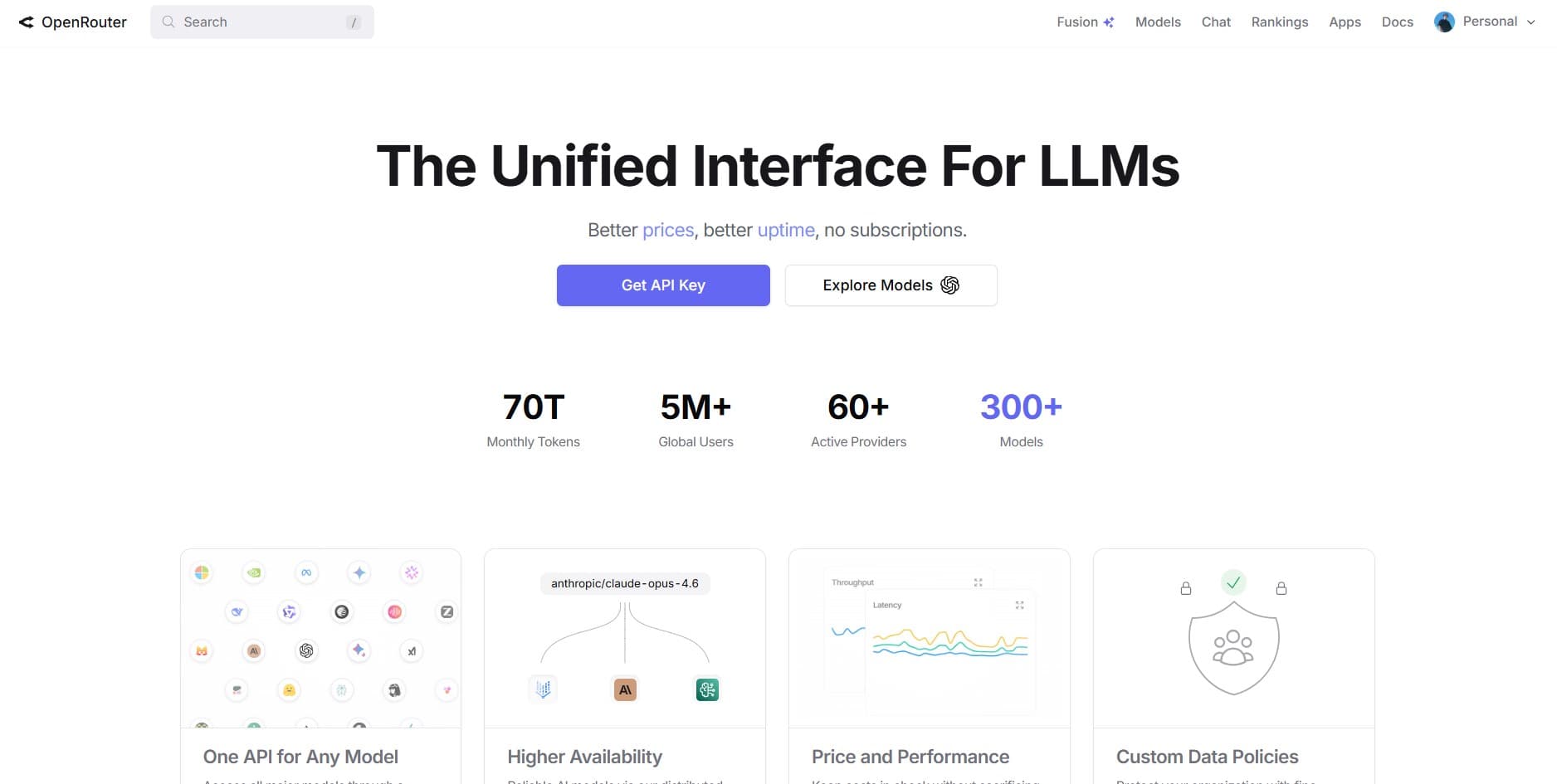
Dashboard: API keys and models
Operational Walkthrough
Sign in
Create an account and open the dashboard.
Get API key
Click Get API key, name it (e.g. “all-purpose”), set optional expiration, create.
Models → free filter
Open the Models tab, add the free filter, and only wire IDs from that list.
Wire env + smoke test
Put OPENROUTER_API_KEY in env; curl or SDK-call one free model with max_tokens small.
Allow list in app config
Reject unknown model strings at startup so paid IDs never ship by accident.
Google AI Studio
Open AI StudioGoogle AI Studio exposes Gemini-family capabilities, including vision, text-to-text, and text-to-speech depending on what the product offers for your project. Click Get API key, create or select a project, name the key, copy it into your env, then watch burn in the Usage tab.
Split “playground” projects from “shared hackathon” projects early. Nothing is slower than five developers sharing one quota pool and blaming the model when the real issue is one PDF stress test eating the daily budget. Rotate keys after interns leave the same way you rotate Wi‑Fi when the neighbor guesses the password.
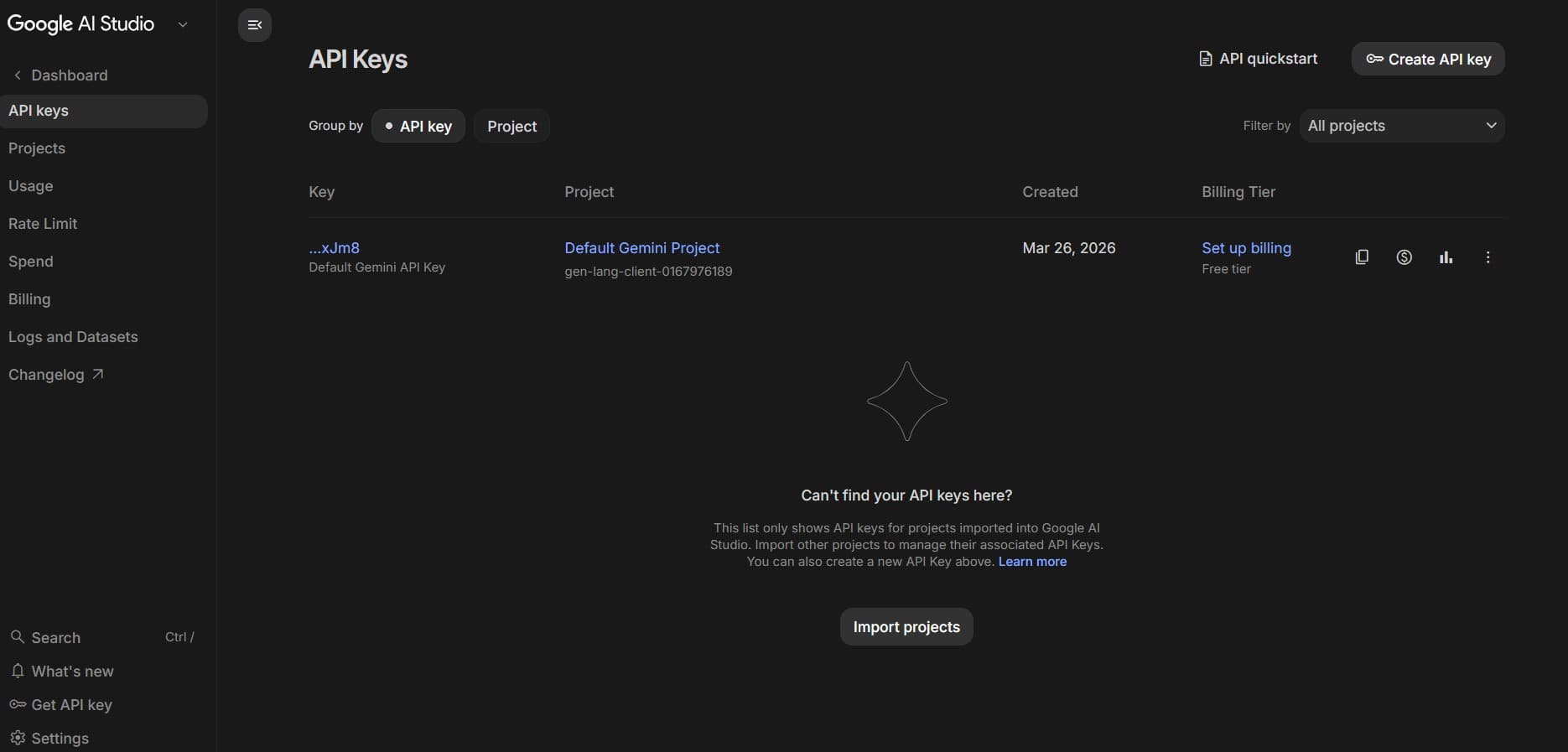
API key and project selection
Integration Roadmap
Project
Create a new Google / AI Studio project or pick an existing one.
Create API key
Name the key, create, copy once, store in env or a secret manager.
Usage tab
Open Usage to see API consumption before your demo surprises you.
Smoke multimodal
If you need vision or speech, prove one happy-path request in the console before wiring UI.
Document project id
Put the project name/id in your README so the next maintainer does not mint a second pool by accident.
NVIDIA Build (NIMs)
Open NVIDIA BuildAt build.nvidia.com, Explore groups models by job type, reasoning, vision, speech, biology, and more, so you can discover endpoints you would not have searched by name. Many cards expose View code with a snippet plus a path to generate a key; you can also pick a model (e.g. Qwen 2.5 Coder) and hit Generate key for a faster loop.
Free access is rate-limited but enough to compare latency and output style before you rent GPUs elsewhere. Expect different keys per model during experiments, label them in your secret manager so revocation under pressure does not take the wrong service offline.
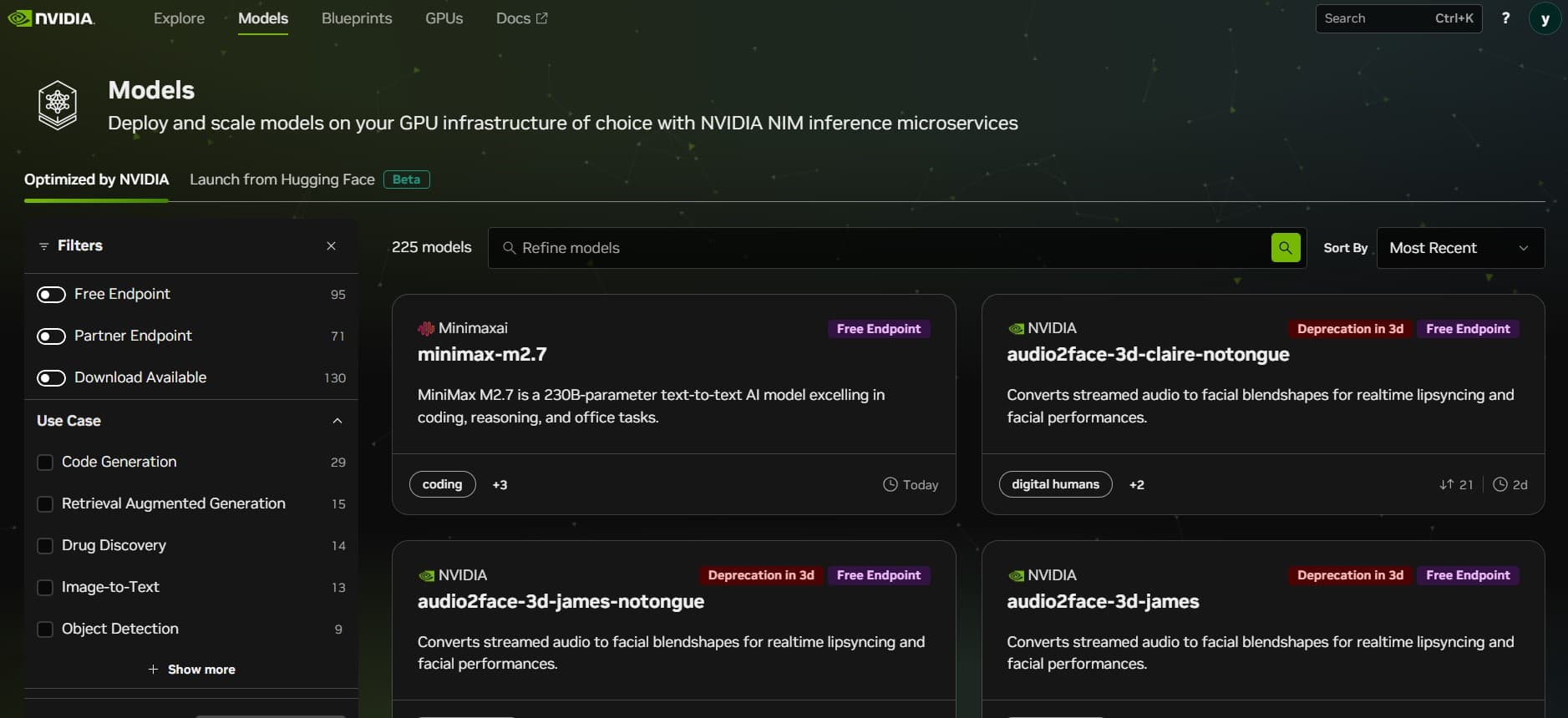
Model selection and snippet code view
Discovery Sequence
Explore
Open build.nvidia.com → Explore; filter by category (reasoning, vision, speech, …).
Shortlist models
Open two or three cards and compare context limits and modalities before you generate keys.
View code → Generate API key
Pick a model (e.g. MiniMax M2), open View code, and generate a key bound to that snippet.
Or Generate key
From Explore, pick a model (e.g. Qwen 2.5 Coder) → Generate key, then paste into your runner.
API keys tab
Revoke unused keys after the benchmark; keep the list shorter than your todo app.
Groq Cloud
Open Groq consoleGroq Cloud lives at console.groq.com. This is not xAI’s Grok. It is built for fast inference on supported models; create keys with optional expiration, revoke when you are done, and read Usage for cost and activity.
Model availability and quotas move; treat supported models as data that can change weekly. If you are streaming tokens to a UI, add client-side backoff so a bug does not hammer the API overnight. Free tiers forgive mistakes slowly.
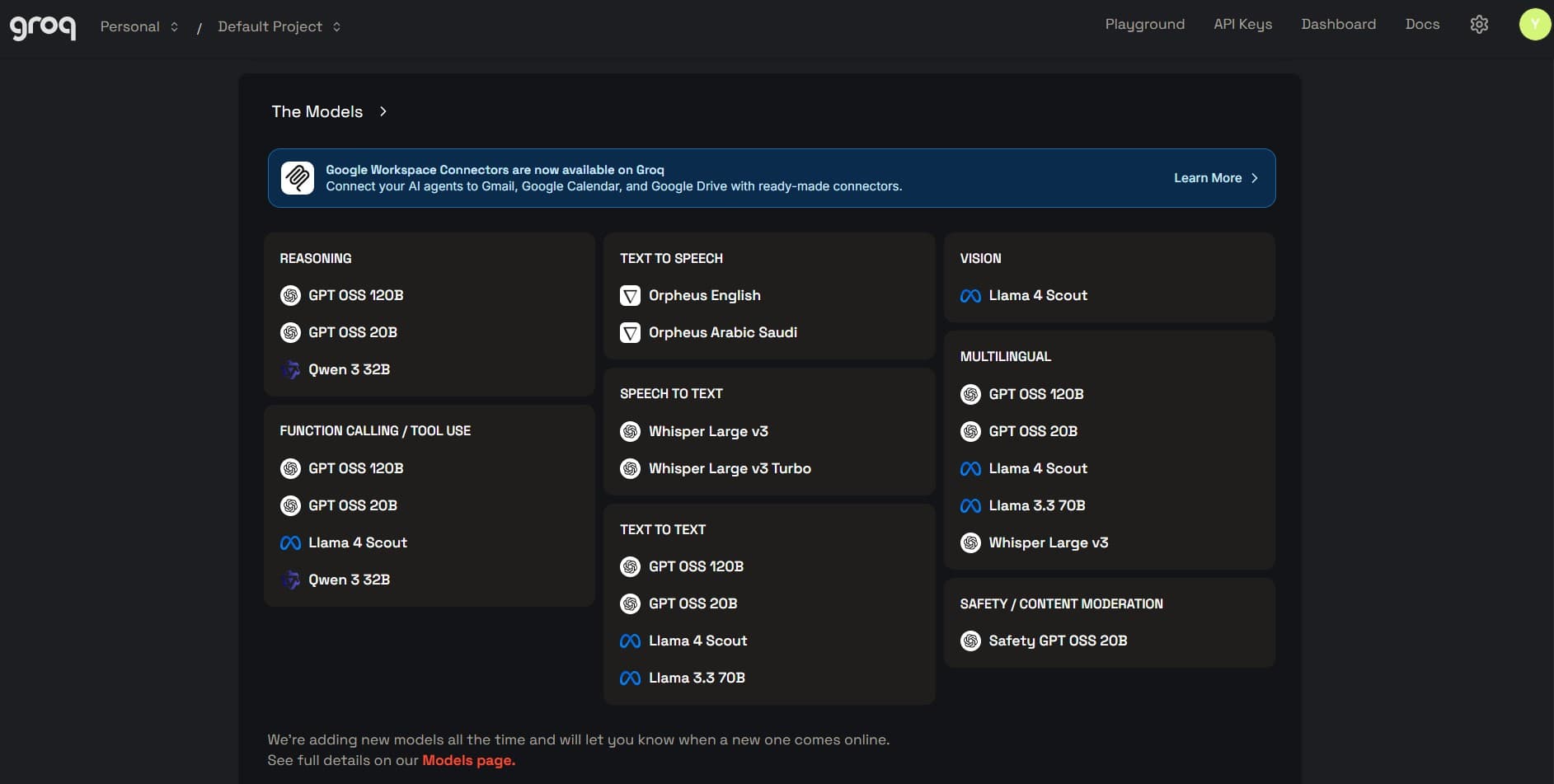
API key and monitoring dashboard
Operational Protocol
API keys
Sign in → API keys in the console sidebar.
Create + expiration
Name the key, set expiration (e.g. a few days for a throwaway demo), submit, copy.
Pick a model
Confirm the model id you will call matches the console list for that key’s era.
Revoke + Usage
Revoke after recording; open Dashboard / Usage for spend and request activity.
GitHub Models
Open GitHub ModelsFrom github.com/marketplace/models (Marketplace → Models) you can try open- and closed-weight models behind the same UX. Pick one (e.g. DeepSeek V3), click Use this model, create a personal access token in the dialog, scroll to generate it, and send it as the bearer credential. Free routes are rate-limited, so plan for throttling.
PATs are powerful: if you reuse the same token for Models and for unrelated admin scripts, you increase blast radius. Prefer fine-grained tokens when offered, store them in one backend service, and delete them when the experiment ends. Your future self audits fewer “mystery tokens” in GitHub token settings.
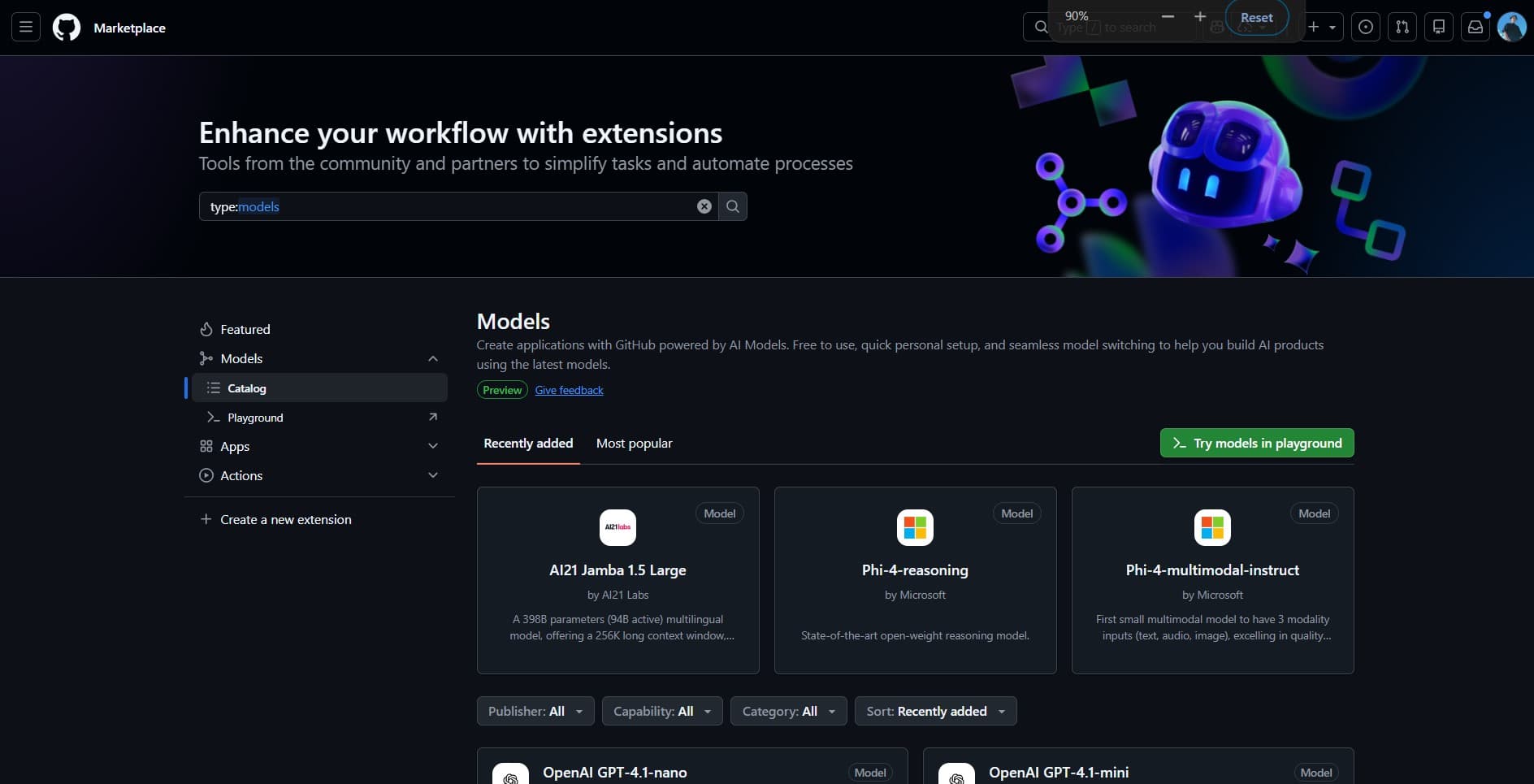
Personal access token provisioning
Auth Sequence
Use this model
Open a model page → Use this model → follow the token creation flow.
Generate PAT
Scroll the dialog, generate the personal access token, copy once.
Call from one service
Avoid sprinkling the PAT across twelve repos. Proxy through one small API you control.
Throttle + cache
Add simple in-memory rate limits during spikes so you do not burn the shared quota.
Rotate
Delete the PAT in GitHub token settings when the experiment ends, the same as revoking an API key.
Cloudflare Workers AI
Workers AI docsIn the Cloudflare dashboard, open Workers AI → Models: filter by task capability or author, launch the LLM playground, or scroll the model page for API schemas with embedded test calls you can paste into a Worker. If another vendor’s quota bites first, Workers AI is a pragmatic fallback when you already ship on Cloudflare.
The payoff is operational: the same team that owns caching and routing owns inference deployment. You still need to read Workers AI quotas and model cards, edge proximity does not delete capacity planning, but you avoid shipping a second vendor just to try a small model.
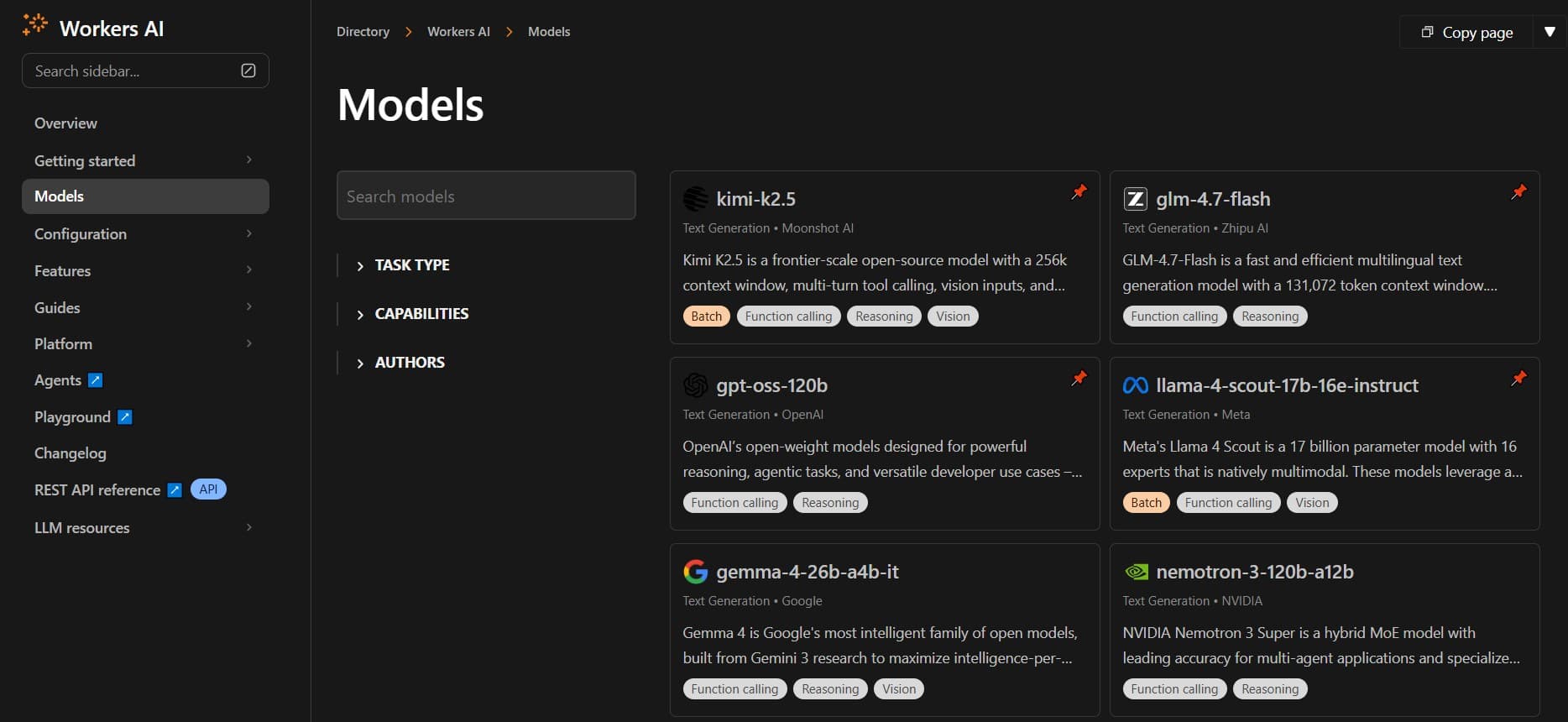
LLM playground and schema view
Configuration Path
Pick a model
Filter Workers AI models by task or author; open the one that matches your workload.
Playground
Launch the LLM playground to validate prompts before you wire routes.
Schemas
Scroll for API schemas with testing hooks; copy into your Worker or client.
Wire + monitor
Deploy a small Worker route, log status codes, and watch dashboard metrics during load tests.
Security Hardening Protocols
API keys and GitHub PATs are bearer tokens. If they leak into a repo, stream, or screenshot, you pay in quota and trust. Prefer short-lived keys for demos (Groq’s expiring keys are the pattern), revoke right after a recording, and delete PATs you no longer need.
Zero-Trust Environment
Keep secrets in .env or a vault; never ship them to the browser bundle when you can avoid it. CI should inject encrypted secrets, never echo tokens in build logs.
Active Rotation Cycle
Rotate evaluation keys on a cadence that matches risk: weekly for hackathons, monthly for sandboxes, immediately after any suspected leak. Revocation is part of the lifecycle, not an emergency-only step.
- Never paste keys into public gists, Discord threads, or client-side bundles.
- Run secret scanning on CI for accidental commits; fail the build on high-confidence leaks.
- Prefer separate keys per environment (local / staging / prod-shaped demo).
- After screen recordings, assume the key is compromised and rotate even if you blurred the UI.
FAQ
Technical briefing
Practical answers for keys, consoles, and shipping without surprises.
Why does OpenRouter show “unlimited” for some free models?
Groq vs Grok, which URL do I use?
How tight are GitHub Models and NVIDIA on free?
Where do I see spend and usage?
When should I leave free tiers?
How do I avoid shipping the wrong model ID?
Should the client call these APIs directly?
What is the minimum observability stack?
On this site
These pages expand on how I work with teams, what I ship, and how to hire me for the same kind of execution.
Recommended blogs
Continue reading

Improving Next.js Lighthouse Without Killing the Design
How I chase Lighthouse and Core Web Vitals on a real Next.js portfolio without turning the UI into a gray wireframe.
Photo by Pixabay on Pexels
Read article
SEO, AEO, and GEO for a Modern Developer Portfolio
How I structure a portfolio so Google, featured snippets, and AI crawlers can all quote me without me sounding like a keyword vending machine.
Photo by Mikhail Nilov on Pexels
Read article